Your First Integration
Introduction#
Hello, and Welcome to Jetic. This brief tutorial will guide you on just how quickly you can get started with using the platform to serve your specific integration needs.
Integration Ingredients:#
- Timer
- Log
Goals:#
- Get acquainted with the Platform
- Output a ‘Hello World’
Step 1: Create a New Integration#
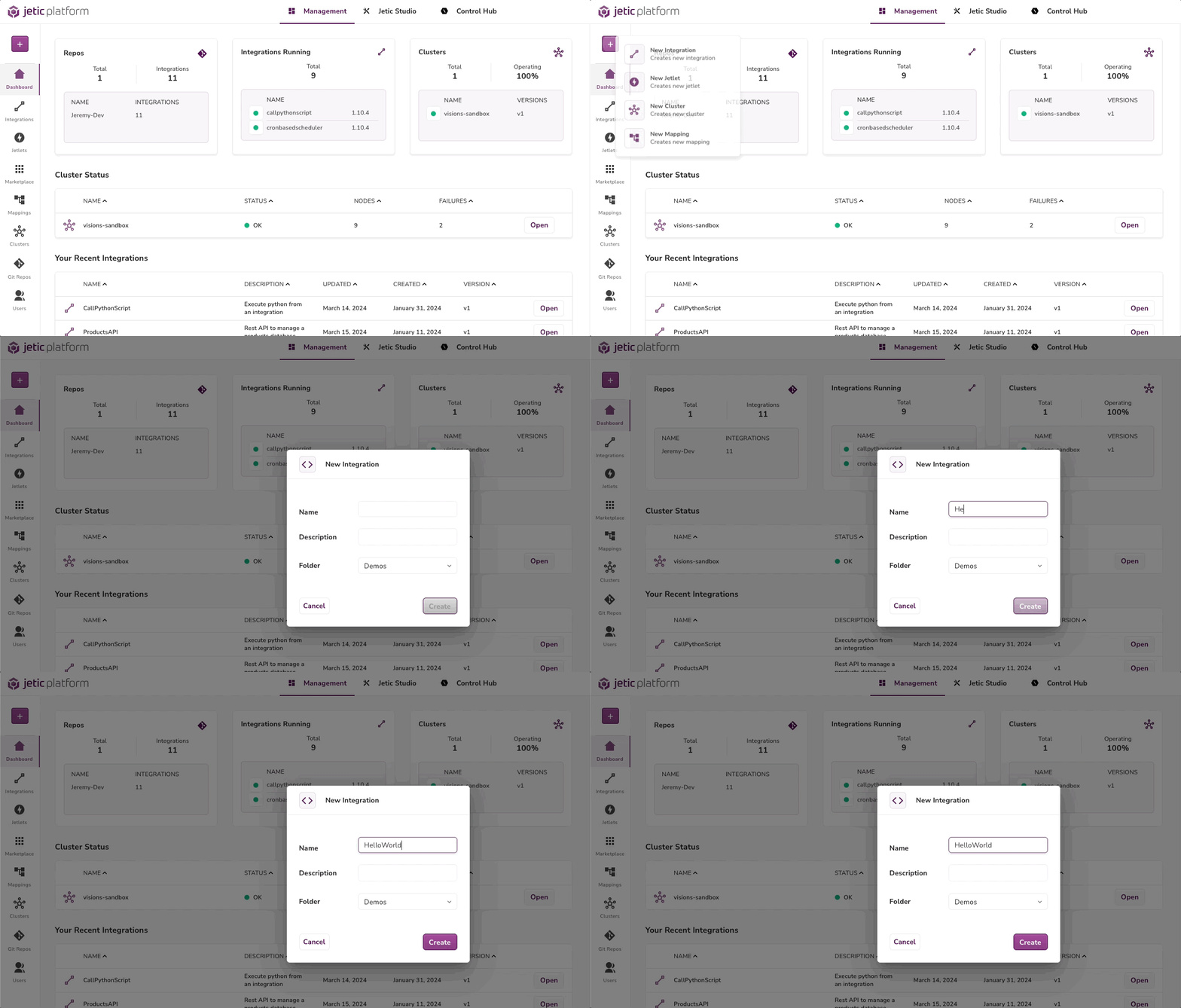
- Press {+} → New Integration
- Enter HELLO WORLD in the Name field
- Press [Create]
Step 2a: Bring in your components via route#
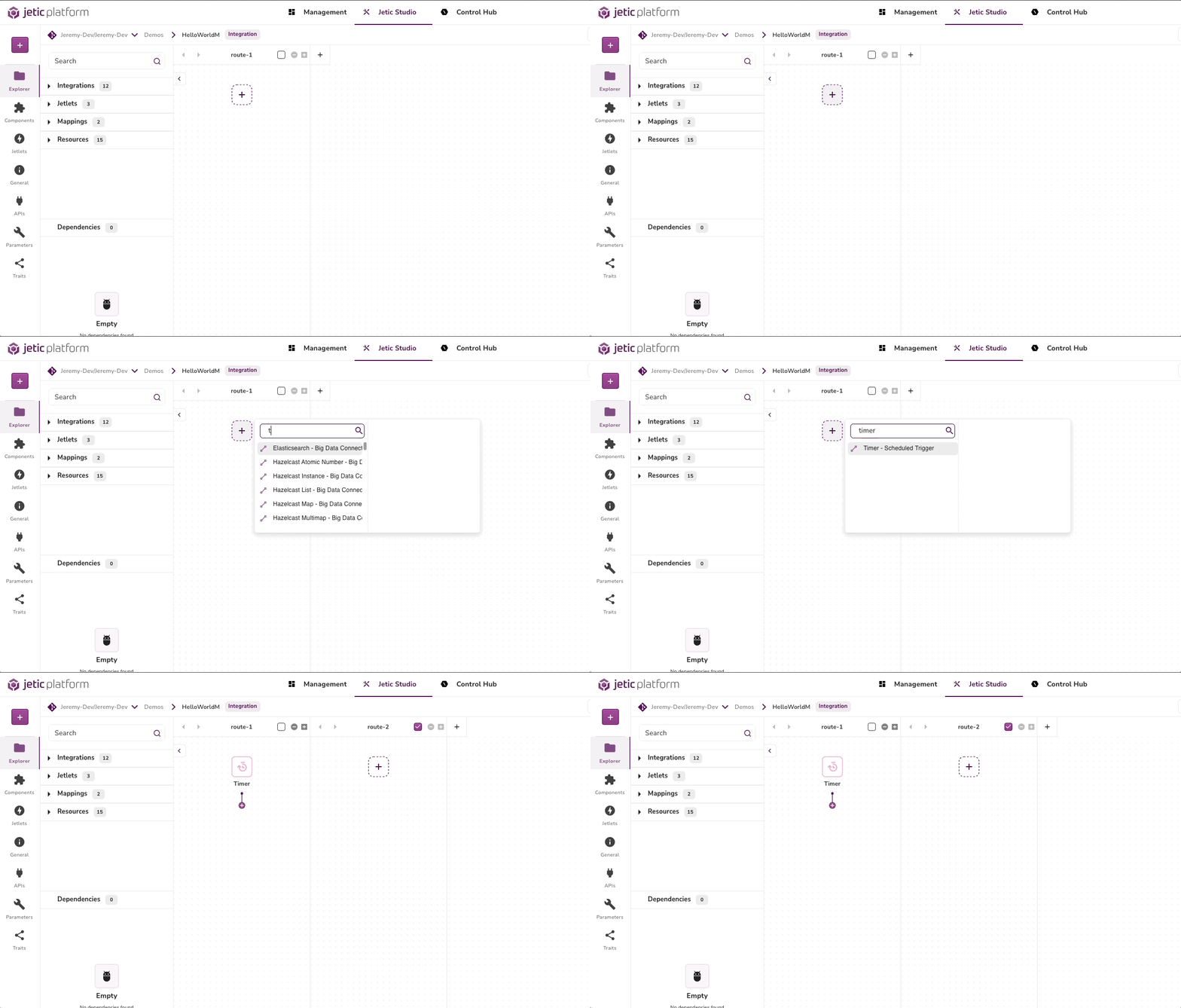
- Click on the {+} in the swing lane
- Type ‘TIMER’ → Choose ‘Timer - Temporal’
- Double Click ‘Timer’ and declare parameters (i.e Period, Repeat ct, and Delay)
- Set a PERIOD to {10000} (Ten Seconds)
- Show where you can find Documentation in (?)
Step 2b: Bring in your components via sidebar#
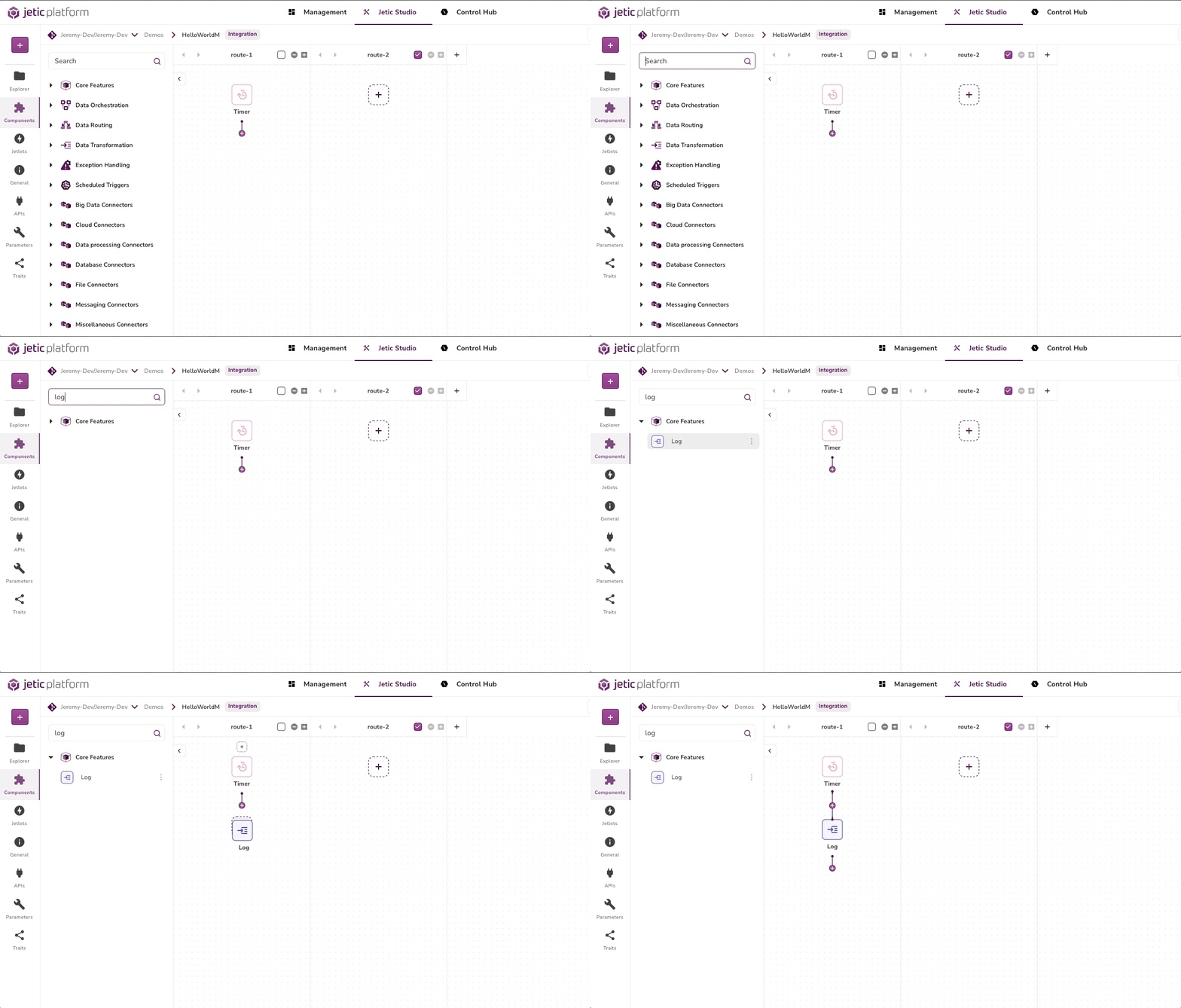
- Click on the Components in the lefthand sidebar
- Type ‘LOG’ in the Search bar
- Drag the Log to the swing lane under the Timer
- Double Click the component and clear out the MESSAGE field
- Type ‘Hello World’ into the field
Step 3: Run the integration#
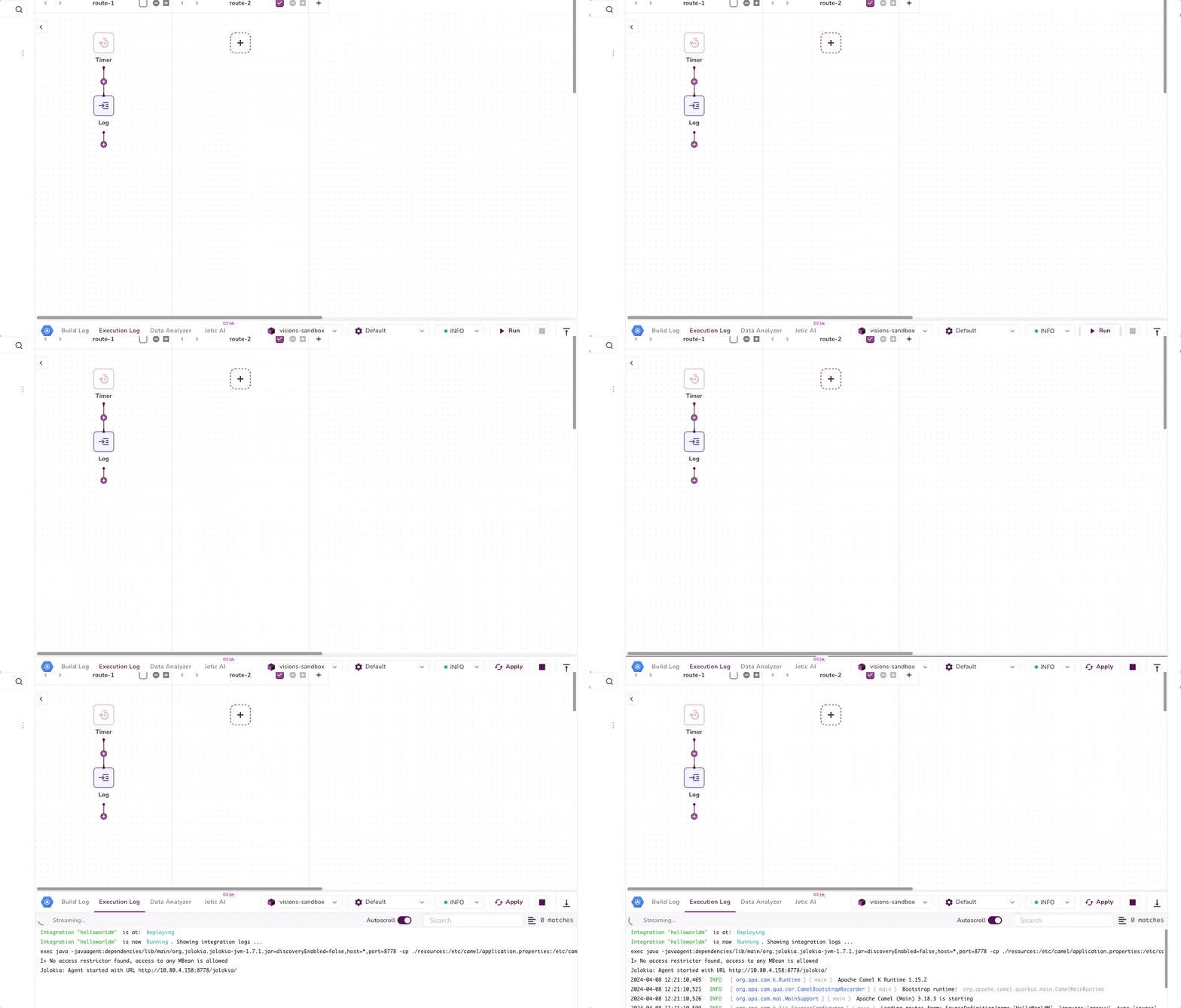
- Make sure the component window is closed [>]
- Press the ▶️ button on the Bottom of the screen
- While it boots up check [and explain the Build Logs]
- Switch to the Execution Log and view the output
🎉 Congratulations for you have successfully created your first integration! 🎉